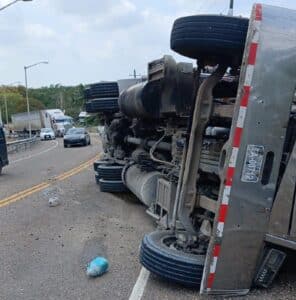
Many drivers deal with sudden problems on the road. A car can stop too quickly, someone can hit your car from behind, or a person may scratch your vehicle while it is parked. In these moments, it becomes hard to explain what happened, and people often argue about who caused the trouble. Without proof, drivers feel stressed and worried because they know anyone can blame them for something they did not do.
A front and rear dash cam solves this by recording the road from both sides. It shows what really happened in a clear, simple way. The front camera records the cars ahead, while the rear camera captures what goes on behind your vehicle. With both views saved on video, drivers stay calm because they have solid proof for any sudden event.
What does a Front and Rear Dash Cam do?
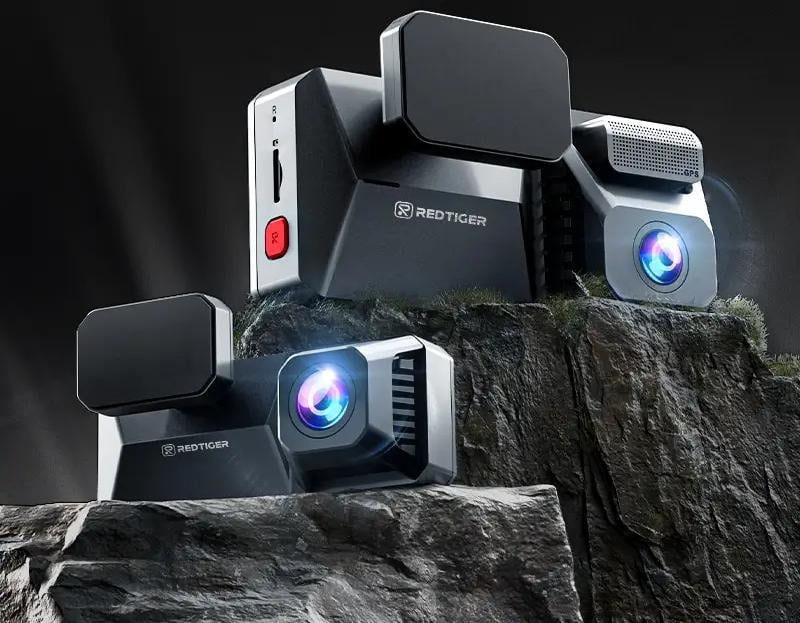
A front and rear dash cam uses two small cameras: one facing the road and the other facing the back window. Both record at the same time, so nothing goes unnoticed. The front camera captures the road ahead, traffic flow, sudden braking, and any event involving the car in front. The rear camera covers tailgating, backing incidents, and cars that hit your vehicle from behind.
This setup works well because accidents and claims do not always happen from the front. Many real events happen when someone reverses poorly, stops suddenly behind you, or bumps your parked car. With both angles recorded, you always have a complete record.
Why More Drivers Are Choosing Dual Dash Cams in 2026
Many drivers now rely on dual dash cams for simple reasons: they help with claims, keep evidence clean, and help during parking issues. Insurance companies often review footage during disputes, and having both angles recorded can save a lot of time. Instead of arguing, you can show the clear clip.
Another reason is night recording. Roads, garages, and parking lots can be dark, and visibility becomes worse during rain. Many new models include improved night sensors that brighten the view without making the video look washed out. This helps when someone scratches your car or reverses into you at night.
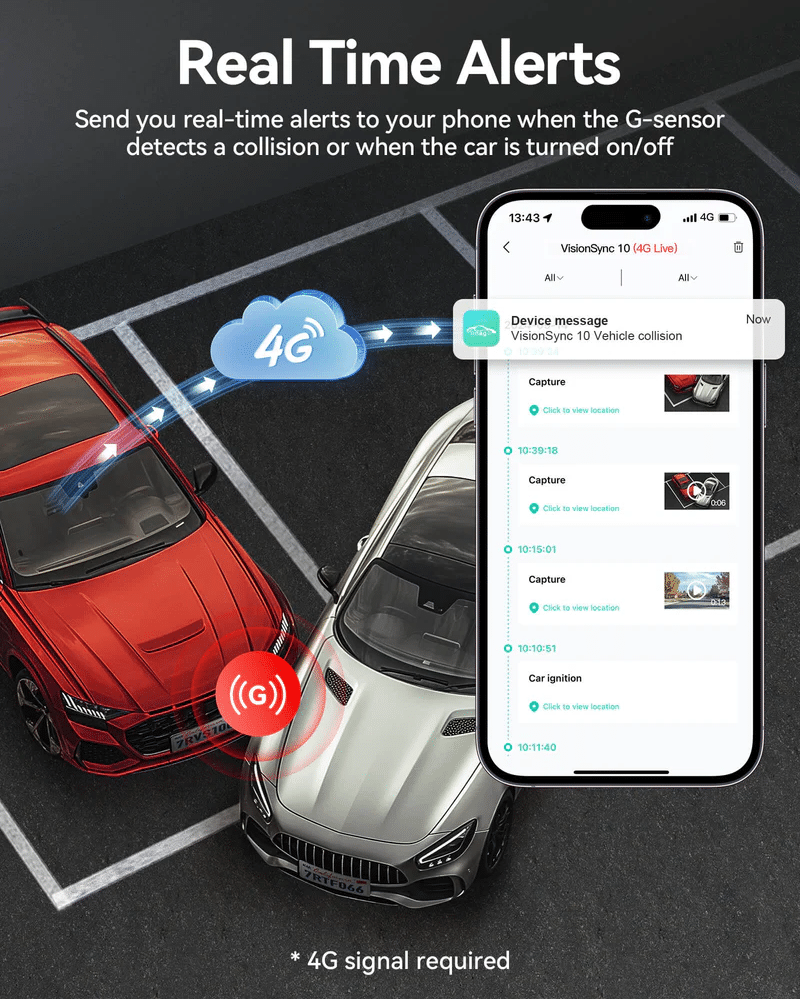
People also like the safety they get when the car is parked. Parking mode records any movement or impact around the car. If someone hits your car and leaves, the dash cam saves the clip so you can review it later.
Key Features to Check When Picking a Dash Cam
1. Clear Video Quality
A good video matters because it helps you see what really happened on the road. A dash cam should record in high quality so you can read license plates, see road signs, and notice small details.
If the video looks blurry or shaky, it becomes hard to use later. Most new models record in very clear quality, making the footage easy to understand during the day and at night.
2. Wide View of the Road
A wide view helps the camera cover more of the road. This means it can see cars on the sides, not just the ones directly in front of you. When both the front and the rear cameras have a wide view, they capture more movement around your car. This helps you understand how an event started, not just the moment it happened.
3. Strong Night Recording
Many problems happen at night when the road is dark. A good dash cam should still record a bright and clear video even when there is little light. Modern night sensors help the camera pick up shapes, lights, and movement without making the video look too bright or too dark. This gives you proof even when a bump or scratch happens in a dim parking area.
4. Parking Watch Mode
Parking watch mode keeps the camera alert even when the car is off. If someone walks near your car, bumps it, or tries to open a door, the dash cam starts recording. This helps you know what happened while you were away. For people who park in busy streets, crowded schools, or tight garages, this feature is extremely helpful.
5. Heat Protection
Cars can get very hot inside, especially when parked in the sun. Heat can damage normal electronics, but a good dash cam is built to handle high temperatures. It should keep working even when the windshield becomes warm. Heat protection makes sure the camera does not freeze, restart, or stop recording during long drives or summer days
6. Enough Storage Space
Pick a model that supports larger memory cards. Some save clips to the cloud, which helps when the memory is full or when you need quick access from your phone. The idea is simple: more storage means more recorded history.

How to Pick the Right Dash Cam for Your Car Type
Choosing the right dash cam becomes much easier when you think about the kind of car you drive. Different cars have different shapes, window sizes, and cabin spaces, so one model may fit better than another. When you match the camera to your car type, the recording looks cleaner, wiring becomes simpler, and the camera stays steady while you drive.
For Small Cars
Small cars have limited windshield space, so a tiny front camera works best. It stays out of your view and does not block anything while you drive.
A small rear camera also fits better on a compact back window. Shorter wires are enough for these cars, making the setup neat and easy to manage. If the camera is too big, it may look bulky and distract you, so small-sized models are more suitable.
For Sedans
Sedans have longer cabins, and the wire going from the front to the back takes more distance. This means you need a dash cam that includes a longer rear cable.
A wider front view also helps because sedans sit lower on the road. The camera must cover both sides clearly. When picking a model for a sedan, choose one that gives a steady view even when the car goes over bumps.
For SUVs
SUVs sit higher than regular cars, and the back window is usually larger. This means the rear camera needs a wider view, so it can cover the area behind the car fully.
Many SUV owners park in tight spots or busy streets, so a strong parking mode is helpful. A good option is a dash cam that can brighten dark areas since SUVs often block light due to their height.
For Pickup Trucks
Pickup trucks can be tricky because some have open backs. If the rear camera needs to be mounted outside, choose one that can handle rain and dust. A small but strong camera works well because it stays stable even on rough roads. If your truck has a closed bed, an inside mount works fine, but make sure the cable is long enough to reach the back window.
For Vans or Family Cars
These vehicles have bigger cabins and more seats, so the rear window sits far from the front. A dash cam with an extra-long wire is needed. Vans often carry children or luggage, so a wide view helps cover every angle. This ensures the camera captures everything happening behind the car, even if the window is high or far back.
Easy Tips to Install Your Dash Cam the Right Way
Setting up a dash cam becomes much easier when you follow a few simple steps. You don’t need special skills to do it. You just need patience and the right method to make sure both cameras stay steady and record clearly. These tips help you place the device in the best spot, hide the wires neatly, and check that everything works before you start driving.
1. Pick the Best Spot on the Windshield
Place the front camera high on the windshield, close to the center. This spot gives a clear view of the road without blocking your sight. Make sure the camera does not touch the rear-view mirror or sit too low. A steady mount helps keep the video smooth, even if the road is bumpy.
2. Place the Rear Camera in the Right Position
The rear camera should sit at the top middle of the back window. This angle covers the entire area behind your car. If you place it too low or too far on one side, the video may miss important moments. Before sticking it in place, test the view to make sure it looks balanced.
3. Hide the Wires for a Clean Look
Most dash cams come with long wires. Run these wires along the edges of the car interior, such as under the rubber strips or side panels. This keeps the wires from hanging loosely and makes your setup look neat. Hidden wires also stop passengers from pulling or stepping on them by accident.
4. Keep the Power Cable Safe
Plug the power cable into your car’s charging port. If your model supports hardwiring, make sure someone with experience connects it to the fuse box. A safe power connection helps the dash cam turn on automatically when the car starts.
5. Test the Cameras Before Driving
After mounting both cameras, check the screen or the app to see if the angles look correct. Make sure nothing blocks the view, such as window stickers or headrests. Play a short recording to see if the video looks clear and steady.
6. Secure the Mounts Firmly
Press the mounts firmly for a few seconds, so they stick well. Weak mounts may fall during sudden stops or rough roads. A strong grip keeps the camera steady and stops it from shaking while recording.
7. Keep the Lens Clean
Dust and fingerprints can make the video look unclear. Wipe both lenses gently with a soft cloth every few days. Clean lenses help the camera record sharp and detailed clips.
Common Mistakes People Make When Buying a Dash Cam
Many people choose the wrong camera because they only look at the price or focus on the front camera alone. Skipping the rear camera leaves the vehicle unprotected from behind, which is a common point of impact.
Others buy a device with low memory, so old recordings overwrite too quickly. Sometimes people ignore heat resistance and end up with devices that freeze during sunny days. Mount stability is another issue; weak mounts fall during bumps or sudden turns.
Avoiding these mistakes saves money and helps you pick a device that actually works in real situations.
Real Situations Where Dash Cams Help
A dash cam supports you when a car bumps your vehicle while parking. It stores the moment even when you are not around. It also helps when someone brakes hard in front of you, confusing who is responsible.
Tailgating incidents also become easier to explain because the rear camera shows the exact distance and timing. If someone sideswipes your car and leaves, the footage provides a clear record of what happened.
In short, it helps remove doubts by giving clear proof.
Final Thoughts
A front and rear dash cam gives drivers a simple way to record events and stay prepared. It adds a layer of safety during daily drives and parking hours.
With the right features in 2026, it becomes easier to protect your car, settle claims, and understand what happened in any situation. Picking a device that suits your car and driving style makes the experience smoother and more reliable.