
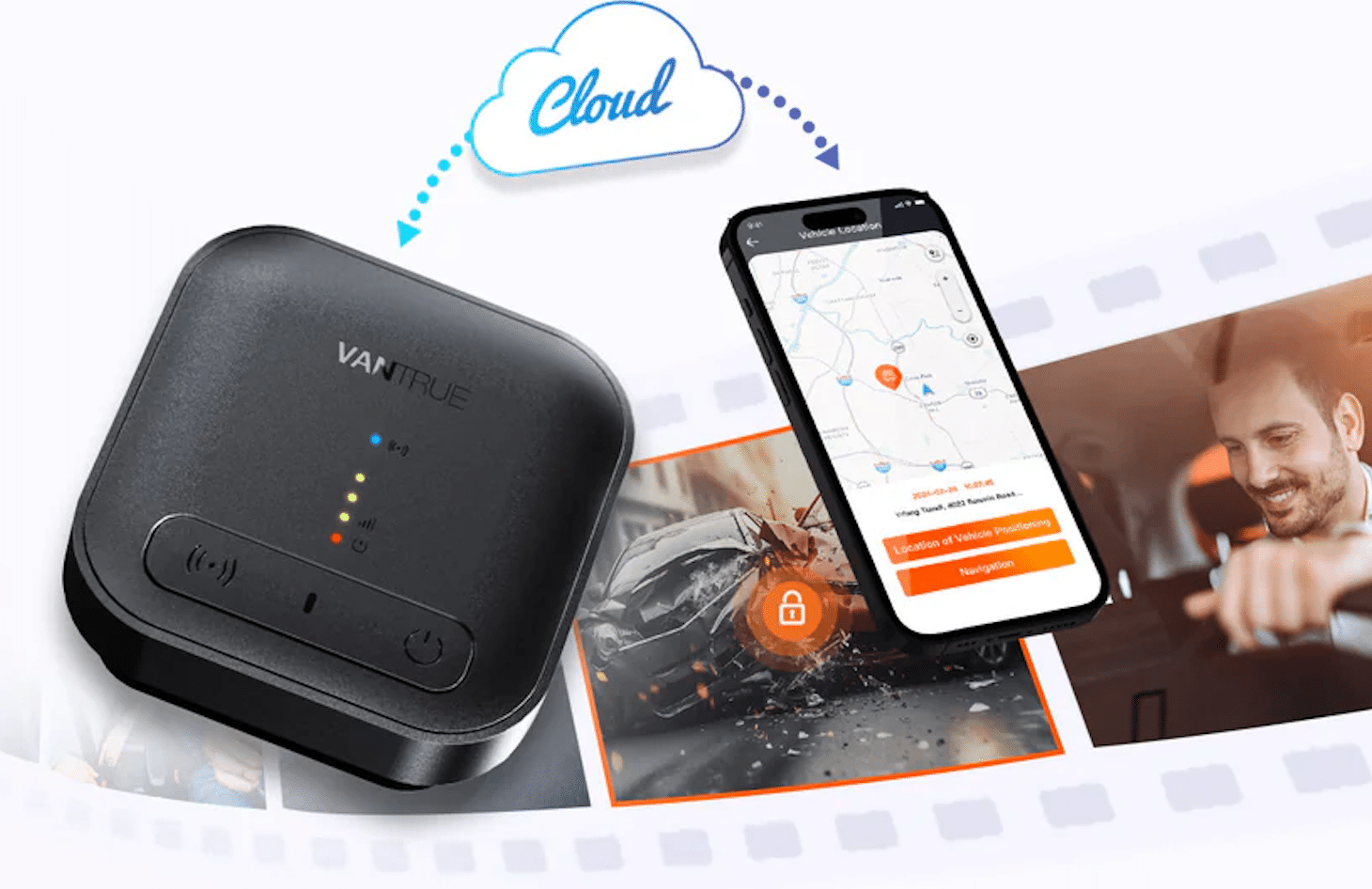
You never plan a collision, a parking‑lot hit‑and‑run, or a break‑in—but you do plan how to keep the proof. If you’ve ever returned to a new dent with no note, discovered that a clip was overwritten, or waited hours to find and download a file, you know the stakes. A camera that saves to the cloud changes that calculus. By pairing local recording with remote backup, the best dash cam with cloud storage preserves evidence even if your SD card fails, power is cut, or your vehicle is stolen. In the pages below, you’ll learn how cloud connections actually work, what to look for, and how to set yours up so the right clips survive when you need them most.
What a Cloud Platform Should Provide
A trustworthy cloud platform gives you two things at once: redundancy and speed. In practice, that means event-driven uploads (impact, motion, or manual saves), push alerts, GPS location, remote live view, and over-the-air firmware updates, so you don’t have to pull the card for maintenance. One example of this architecture is Vantrue Cloud, which pairs an LTE add‑on with supported cameras to mirror critical parking‑mode and driving events in secure storage while keeping a copy on the card.
How Cloud‑Connected Dash Cams Work
Core Architecture
Your camera records to a microSD card like any other dash cam. When a trigger fires—an impact while parked, motion near the car, or a manual button press—the system flags that clip for upload and sends it through LTE or Wi‑Fi to your account. Off-site copies mean that a single failure (such as a stolen camera or corrupted card) won’t erase what happened. This is the core reason why the best dash cam with cloud storage differs from a basic recorder. Consider checking the Vantrue E1 Pro as a model that best suits your needs.
Required Components
To make it work, you need a cloud-capable dash cam, a companion app, reliable connectivity (such as an LTE module with a SIM or a steady Wi-Fi connection), and a hard-wire kit to ensure parking mode continues running when the engine is off. Some LTE modules also enable a small in‑car hotspot for your other devices, which is a bonus on road trips.
Connectivity Options
LTE is the safest choice for always-on coverage away from your driveway, while Wi-Fi at home can handle longer, non-urgent uploads. You can mix both: prioritize incident clips over LTE and send routine footage on Wi‑Fi overnight. That balance ensures uploads remain reliable without exceeding your data plan.
Why Cloud Backup Prevents Footage Loss
Redundancy by Design
SD cards fill, fail, or get pulled. Cloud duplication reduces the single point of failure by maintaining an off-site copy of the clips that are most important. If someone takes your camera—or your whole car—you still have the evidence.
Event‑Driven Protection
When the camera knows what to upload first, you don’t lose the crucial moment to a long transfer queue. Set yours to push impact and motion events immediately and to defer routine driving footage. That workflow is what separates the best dash cam with cloud storage from cameras that only sync when you open an app.
Continuous Access and Retrieval
After an incident, seconds count. Cloud apps enable you to review, trim, and share a clip from your phone without needing to return to the vehicle or handle a card reader. You can send a link to an insurer or officer while the details are still fresh.
Power and Uptime Considerations
Parking‑Mode Continuity
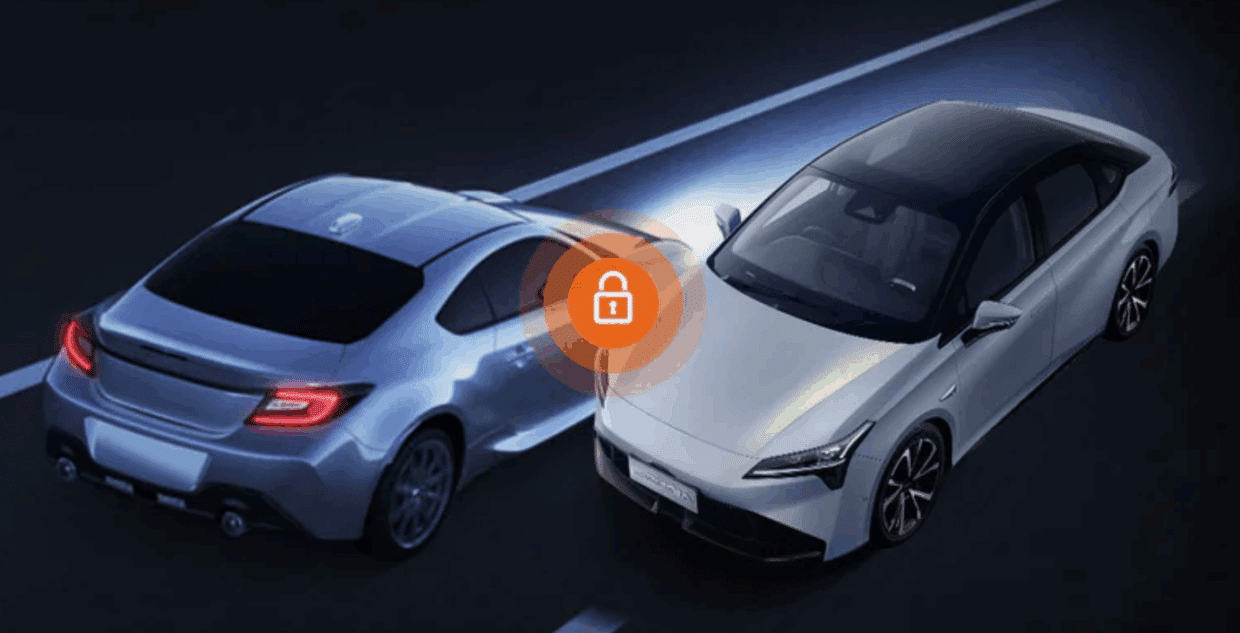
Parking protection only works with dependable power. A proper hardwire kit supplies constant, fused power and features a low-voltage cut-off to protect your battery. That keeps motion and impact detection alive, even in a long‑term parking garage.
Firmware Reliability
Over-the-air (OTA) updates fix bugs and add features without requiring a manual update. Turn on auto‑update windows so the device refreshes when you’re not driving.
Location, Alerts, and Fleet Controls
Situational Awareness
Push notifications confirm that an event occurred and help you respond. GPS location also solves everyday hassles—like remembering where you parked at the airport—and adds context to your clips. Some cloud systems support geofences that notify you if your vehicle enters or exits a defined area.
Fleet Use Cases
If you manage more than one vehicle, cloud access centralizes incident downloads, offers basic coaching signals (e.g., sudden braking or acceleration), and shortens claims cycles. The same principles that protect a single car scale well to a small business fleet.
Data Plan and Policy Realities
Cellular Data Management
Video is data-heavy, but you control the burn rate. Start with conservative quality settings for LTE uploads, limit mobile uploads to specific events, and allow full-length clips to stream over Wi-Fi. Review your app’s monthly data report and make any necessary adjustments. Many platforms offer simple, prepaid regional data bundles that allow for instant top-ups. However, packages are typically non-refundable, so it’s essential to size your plan according to your mileage and parking risk.
Selecting the Best Dash Cam with Cloud Storage
Capabilities that Actually Stop Footage Loss
| Capability | Why it matters |
| Event‑first uploads | Prioritizes collisions and parking events so the key clip is safe within minutes. |
| Dual storage (cloud + SD) | A second copy survives card failure, theft, or accidental deletion. |
| Real‑time alerts and GPS | Confirms an incident and helps you respond quickly. |
| OTA firmware updates | Keeps the camera stable without card juggling. |
| Hardwire support | Enables true, always‑on parking protection. |
Connectivity and App Ecosystem
Look for a clean app that lets you mark incidents, search by time and location, and share secure links. The best dash cam with cloud storage will feel fast and predictable on a busy day, not fiddly.
Power and Installation
Plan the install once and do it right. A professional hardwire makes the setup tidy and reliable, and a fused connection with a proper ground prevents intermittent power that can corrupt files.
Benchmarking the Market for the Best Dash Cam with Cloud Storage
Checklist for Apples‑to‑Apples Comparisons
Compare platforms on five axes: 1) event‑driven cloud workflow, 2) parking‑mode depth and sensitivity control, 3) network options and coverage where you drive, 4) alerting, live view, and geofencing, and 5) firmware cadence and support. If a solution is unclear on any of these points, keep shopping.
Deploying the Best Dash Cam with Cloud Storage in Practice
Implementation Steps
Set aside an hour for setup. First, install the hard-wire kit with a low-voltage cutoff. Second, activate your LTE module, insert a compatible SIM, and verify coverage on your usual routes. Third, adjust motion and impact sensitivity, and enable event-first uploads. Finally, trigger a test alert, confirm the clip appears in the cloud, and share a link with yourself.
Ongoing Maintenance
Format the SD card on a regular schedule, replace cards proactively, and keep the firmware up to date. Review your data usage monthly and adjust upload rules to ensure you’re covered without exceeding your limit.
What a Typical Cloud Setup Delivers
A cloud workflow is only as strong as its implementation. Vantrue Cloud is a representative model of the category: a supported camera paired with an LTE add-on that mirrors incidents to the cloud, maintains a local copy on the card, supports remote live view, and offers prepaid regional data bundles. If you want evidence that these capabilities work in a day-to-day setting, it’s a helpful reference without locking you into a single vendor mindset.
Edge Scenarios Where Cloud Backup Makes the Difference
When It Most Directly Prevents Loss
Cloud duplication pays for itself when the camera or car is stolen, when a hit-and-run occurs in a parking lot at 3 a.m., or when a card fails immediately after a collision. By immediately shuttling the decisive seconds to the cloud, you maintain leverage in conversations with insurers, property managers, or law enforcement.
Conclusion
You can’t control every driver or every parking lot, but you can control how well you preserve the truth. Set up the best dash cam with cloud storage, featuring event-first uploads, reliable power, clean connectivity, and steady maintenance. If you want a concrete reference point, systems like Vantrue Cloud demonstrate how dual storage, alerts, GPS, and OTA updates work together so you don’t lose the moments that matter.